
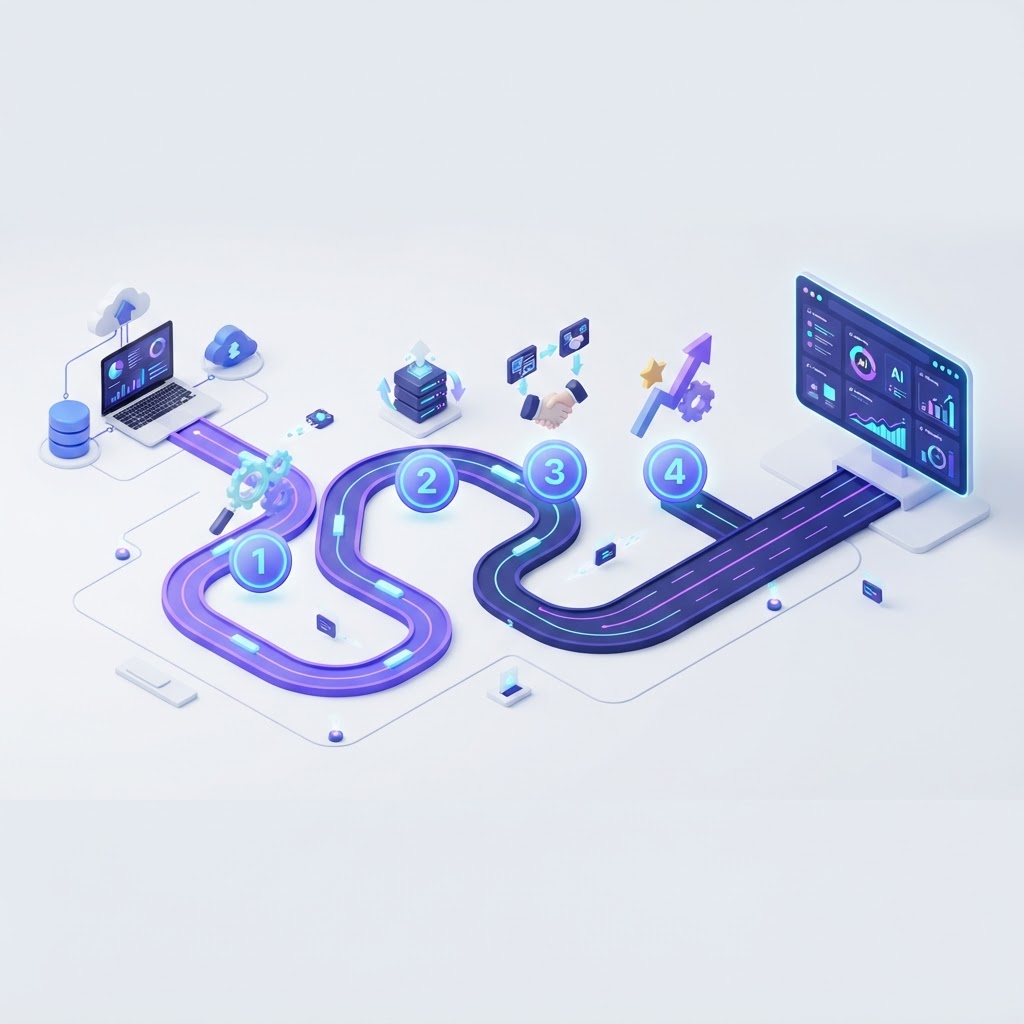
What AI CRM implementation actually includes
An AI CRM implementation is the work of turning a purchased platform into an operating system for revenue. That means cleaning the data it depends on, connecting the channels it answers, writing the automations it runs, training the assistant on your business, and proving the whole path works before your customers experience it.
Most failed implementations skip a phase rather than choosing the wrong vendor. Teams import dirty data, launch automations that were never tested end to end, or train nobody on the new process. The result is a platform that is technically live and operationally ignored. This guide stages the work so each phase produces something verifiable before the next begins.
| Phase | Core question | Deliverable |
|---|---|---|
| 1. Discovery | What outcome are we buying? | Written goal, baseline metrics, scope |
| 2. Data | Can we trust the record? | Deduplicated, mapped contact database |
| 3. Integrations | What must connect on day one? | Integration inventory with owners |
| 4. Configuration | What should the system do automatically? | Pipelines, sequences and AI behavior |
| 5. Testing | Does every path work under pressure? | Test scripts and sign-off |
| 6. Launch | Can the team use it daily? | Training, cutover, hypercare |
| 7. Optimization | Is it producing results? | Monthly review, KPI reporting, iteration |
Timeline expectation: a small business can complete phases one to six in two to four weeks with dedicated attention. A multi-team rollout with data migration from several legacy systems typically takes six to twelve weeks. Anything promising a fully optimized AI CRM in a single afternoon is selling a demo, not an implementation.
Phase 1 — Discovery and goal setting
Discovery converts a vague ambition into a measurable target. The output is a one-page document that everyone involved signs, so scope debates later have a reference point.
Define the business outcome first
Choose one primary outcome and at most two secondary ones. Common primary outcomes are response time on inbound leads, booked appointments per week, pipeline coverage, or support resolution without human involvement. "Improve efficiency" is not an outcome because it cannot be measured or verified.
Record the baseline before you change anything
- Median first-response time by channel, measured from a sample of the last sixty days.
- Share of inbound calls answered, including those outside business hours.
- Leads created per week and the share that became opportunities.
- Current cost of the stack being replaced, including seats and add-ons.
- Hours per week spent on manual data entry and follow-up.
Agree scope explicitly
Write down what is in scope, what is out of scope, and who decides when something new is requested. A written scope boundary is the cheapest protection against an implementation that never finishes.
Phase 2 — Data hygiene and migration
An AI assistant is only as good as the record it reads. If three versions of the same customer exist, the assistant will answer with whichever one it touched last. Cleaning before import is faster than cleaning after launch, when automations have already been triggered on bad records.
The five-step cleanup sequence
- Export everything from every system that holds contact data, including the tools nobody considers a CRM: the booking app, the email platform, the spreadsheet on someone's desktop.
- Define the canonical record. One contact record per real person or company, one owner, one lifecycle stage, one source field.
- Deduplicate on stable keys. Email address plus normalized phone number. Never deduplicate on names alone.
- Normalize formats. Phone numbers, country codes, state abbreviations, date formats and picklist values so reporting does not fragment.
- Archive what you will not import. Keep the raw export somewhere accessible. Deleting history outright is a decision you cannot reverse.
Consent, suppression and compliance
Carry consent state and suppression lists across as first-class data, not as an afterthought. A contact who unsubscribed or opted out in the old system must be suppressed in the new one before the first campaign sends. Importing consent status alongside the contact record is the only reliable way to guarantee that.
Phase 3 — Integration inventory
Every integration is a contract you have to maintain. List them all, then decide which must be live on day one, which can wait, and which should be removed because the CRM now replaces that tool.
| Integration | Why it matters | Day-one requirement? |
|---|---|---|
| Calendar and booking | Appointments cannot be scheduled without availability | Yes |
| Phone numbers and calling | The AI assistant needs a number to answer | Yes |
| Payments | Quotes and invoices must be collectable | Usually |
| Website forms and chat | Inbound demand is captured here | Yes |
| Email sending domain | Deliverability and authentication must be configured before the first send | Yes |
| Accounting or ERP | Invoices and reconciliation | Can follow launch |
| Data warehouse | Historical analysis | Can follow launch |
| Legacy CRM | Source of historical records | Read-only during migration |
Cutover rule: keep the old system read-only for a defined window, not fully open. Two systems writing the same customer record is the single most common cause of post-launch data confusion.
Phase 4 — Workflow and AI configuration
This is where the platform starts to behave like your business. Configure in order of revenue impact, and resist the temptation to build every idea on the discovery whiteboard at once.
Pipelines before automations
A pipeline should mirror how deals actually move, including the stage where deals stall. Five to seven stages is usually right. Each stage needs one clear entry condition and one action that should always follow, which becomes the basis for your first automations.
Train the assistant on your real business
- Give it your services, pricing rules, service area, hours and policies.
- Write the qualifying questions exactly as your best employee asks them.
- Define what it may promise, what it must never promise, and when it escalates to a human.
- Load the objections you hear most often, with approved answers.
- Review the first fifty conversations closely and correct the gaps you find.
Automate three workflows, not thirteen
Instant response, follow-up, and appointment reminders deliver most of the early return. Add lifecycle transitions once those three are stable. The marketing automation features overview lists what is available natively so you can plan without a connector.
Phase 5 — Testing and quality assurance
Test with real scenarios, including the ones that annoy your team. Automation that works on the happy path and fails on an after-hours call with an unusual request is not ready for customers.
- Channel smoke tests. Call, text, chat and email from an unknown number and confirm the record appears once, with the right source.
- Qualification tests. Verify the assistant captures every required field and routes correctly when an answer is missing.
- Booking tests. Book, reschedule and cancel, checking the calendar, the reminders and the record each time.
- Follow-up tests. Confirm sequences stop on reply, respect quiet hours and suppression lists, and do not send twice.
- Escalation tests. Ask for a human, describe an emergency and use an out-of-scope request; the handoff should be immediate and clear.
- Failure tests. Simulate a failed payment, a bounced email and a duplicate contact to see what the system reports and who is told.
Write the results down and keep them. The test sheet becomes the acceptance criteria for launch and the regression checklist for future changes.
Phase 6 — Launch and adoption
Adoption is the phase most often under-resourced, and it decides whether the money spent produces a return. A live platform nobody trusts is worse than the old process, because it creates a second version of reality.
- Train by role, not by feature. Sellers need pipeline and follow-up; support needs the inbox and escalations; owners need reporting.
- Publish one short operating standard. Where the record lives, what must be logged, and what never gets done outside the system.
- Name an internal owner. A single person accountable for configuration, questions and the monthly review.
- Run two weeks of hypercare. Daily check of missed conversations, failed automations and anything the team bypassed.
- Remove the escape hatch. When a side spreadsheet remains authoritative, the CRM will always be second.
Phase 7 — Optimization and governance
Optimization is a monthly rhythm, not a project. Review the same handful of metrics every month, keep the two changes that moved them, and delete the automations that did not earn their place.
- Monthly: response time, contact rate, meetings held, pipeline created, automation failure count.
- Quarterly: lifecycle stage definitions, scoring thresholds, sequence performance, list hygiene.
- Annually: full audit of fields, automations, users and permissions to remove anything nobody uses.
Keep a change log: one line per configuration change, with date, owner and reason. Six months in, it is the only reliable way to explain why a workflow behaves the way it does.
AI governance: safety, consent and escalation
An AI assistant speaks for your business, so the guardrails are part of the implementation, not a policy document written afterwards.
- Disclose automation. Callers and chatters should know they are talking to an AI assistant, and know how to reach a person.
- Scope the promises. Define what the assistant may offer, discount or commit to, and what requires approval.
- Handle sensitive moments with humans. Complaints, legal matters, safety issues and distressed customers escalate immediately.
- Record and retain deliberately. Decide what conversations are recorded, how long they are kept, and who can access them.
- Respect consent and quiet hours. Suppression lists, opt-outs and contact-time rules apply to automated messages exactly as they do to manual ones.
- Review language regularly. Sample transcripts monthly to catch drift, outdated pricing or tone problems.
Team roles and ownership
| Role | Responsibility during implementation | Ongoing |
|---|---|---|
| Executive sponsor | Approves scope, resolves priority conflicts | Reviews monthly KPIs |
| Implementation owner | Runs the plan, owns the change log | Configuration and questions |
| Sales owner | Defines pipeline stages and qualification | Pipeline hygiene |
| Marketing owner | Owns sequences, segments and consent | Campaign performance |
| Support or front desk | Tests the inbox, escalations and bookings | Daily conversation quality |
| Data or ops support | Field mapping, deduplication, reporting | Quarterly hygiene audit |
In a small business one person often holds three of these roles. That is fine as long as the responsibilities are written down; the failure mode is nobody holding them.
The 90-day implementation plan
| Window | Focus | Done when |
|---|---|---|
| Days 1–14 | Discovery, data cleanup, channel connection | Goals written, database imported and deduplicated |
| Days 15–30 | Pipelines, AI training, first three automations | Instant response, follow-up and reminders live |
| Days 31–45 | Testing and hypercare | All channel and escalation tests pass |
| Days 46–60 | Rollout to the full team with training | Team works in the system daily, no side sheets |
| Days 61–75 | Nurture sequences, segmentation, reporting | Dashboard reviewed weekly with the owner |
| Days 76–90 | Optimization pass and governance review | Underperforming automations removed, change log current |
Common failure modes and how to prevent them
| Failure | What it looks like | Prevention |
|---|---|---|
| Dirty data imported | Duplicate contacts, wrong owners, broken segments | Deduplicate and normalize before import |
| Automation sprawl | Dozens of workflows nobody can explain | Build three, prove them, then expand |
| No owner | Questions go unanswered, configuration stalls | Name an implementation owner before kickoff |
| Assistant undertrained | Generic answers and wrong promises | Load real policies, objections and escalation rules |
| Two sources of truth | The CRM says one thing, a spreadsheet says another | Make the CRM authoritative and remove the side sheet |
| No measurement | No one can say whether it worked | Capture baselines in phase one and review monthly |
| Launch without training | Team bypasses the system under pressure | Role-based training and two weeks of hypercare |
KPIs to instrument before launch
Instrument these before the first automation goes live, so month one has a comparison rather than a guess.
- Median first-response time by channel, reviewed weekly.
- Contact rate on inbound calls including after hours.
- Qualification completeness — the share of new leads with all required fields.
- Booking rate and show rate tracked separately.
- Sequence completion and reply rate per campaign.
- Automation failures per week, with the owner who resolves them.
- Pipeline created and won by source, reviewed monthly.
For the platform side of the decision, the AI CRM for small business overview covers pricing and included modules, while all-in-one CRM vs standalone tools helps size what you are replacing.